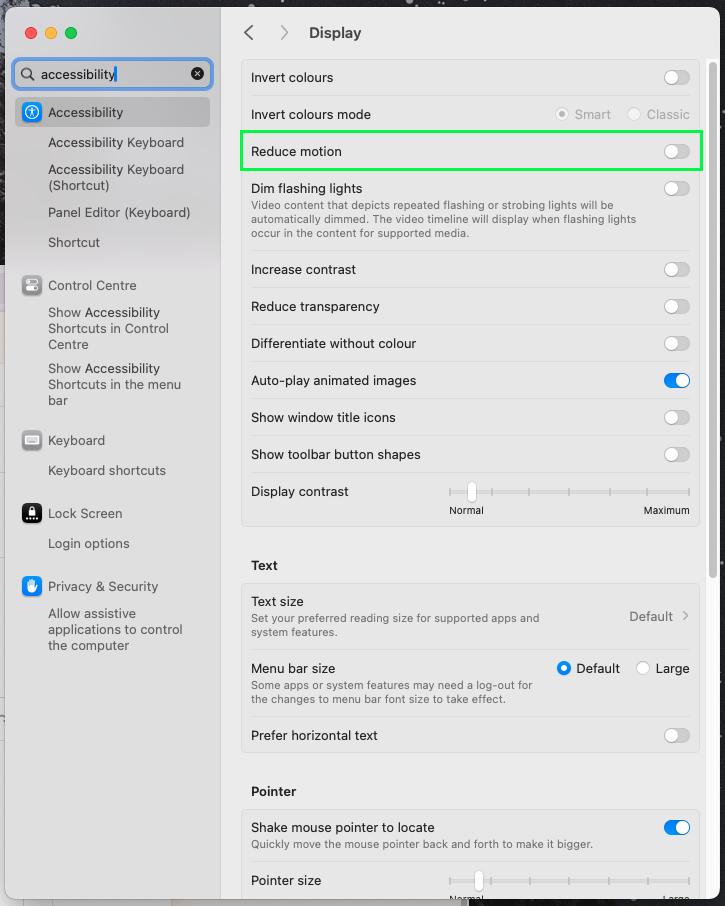
Limit Use of Motion
Prefers reduced motion
Animations/Transitions
We need to cater for people who use the Prefer reduced motion setting for their browser where large scaling/panning animations as well as flashing (more than 3 times per second) transitions can cause vestibular motion disorders. This doesn't need to be added to all hover effects if they are smooth colour/opacity changes.
We have a --motion-reduce media query for this and in VS Code writing --motion-reduce and pressing tab will auto populate with overrides for animations and transitions as below.
The best way to handle this is to set the animation and transition speeds to be almost instant, this helps prevent any styling issues that come from having needed the animations play, as opposed to trying to rewrite different context for reduced motion.
@media (--motion-reduce) {
    /* stylelint-disable declaration-no-important */
    animation-delay: 0s !important;
    animation-duration: 0.001s !important;
    animation-iteration-count: 1 !important;
    transition-delay: 0s !important;
    transition-duration: 0.001s !important;
    /* stylelint-enable declaration-no-important */
  }
Testing
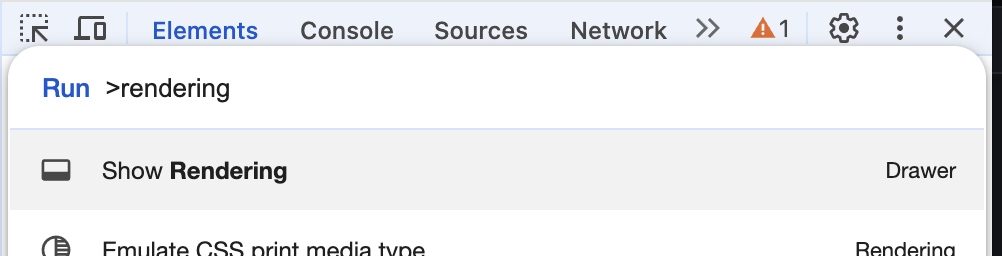
To emulate this and experience the site with reduced motion turned on open Dev tools, then press Command + Shift + P and then type Rendering to find the Show Rending drawer
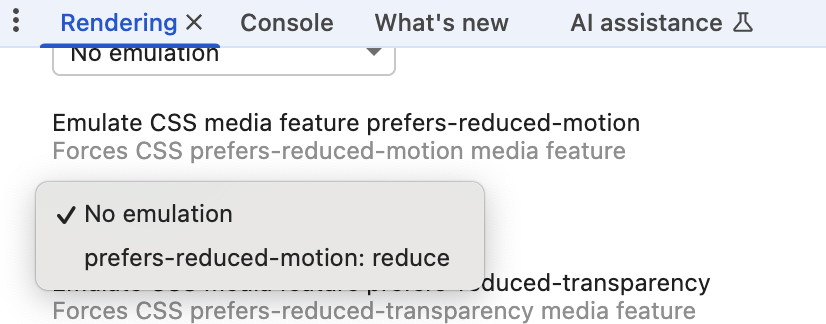
Once there scroll down to find the Emulate CSS media feature prefers-reduced-motion and switch that to reduce.
Your page will instantly switch so you can test your work. Then set it back to No emulation once you've finished testing
Useful links
https://developer.mozilla.org/en-US/docs/Web/CSS/@media/prefers-reduced-motion https://www.a11yproject.com/posts/understanding-vestibular-disorders/
Autoplaying videos
Ensure autoplaying video do not autoplay for users who have their Reduce motion setting turned on.
We can find this out in JS with:
const prefersReducedMotion = window.matchMedia('(prefers-reduced-motion: reduce)')